1
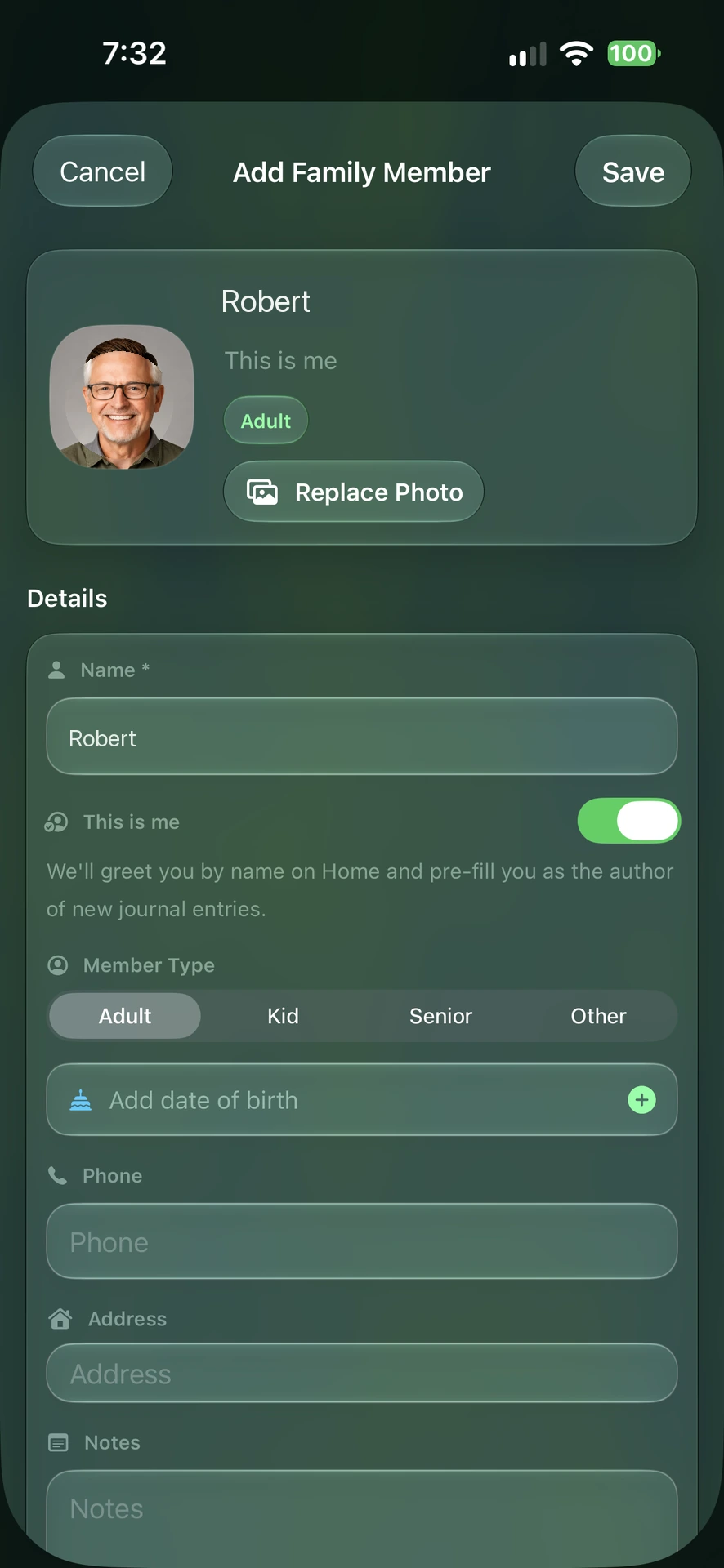
Add a person
Name, photo, relation. 20 seconds.
KinLine
Free · no account

KinLine keeps every family member's records in one place on your iPhone. Medicines, insurance, IDs, shot records, documents. No account. No login. Nothing on Aadstra's servers.
Free to download. No account needed.Works offline. No sign-up. Aadstra never receives your family documents.
That's the whole reason this app exists. Every one of those is a 10-second answer once it's in KinLine.
No account to create. No password. No Aadstra server holding your family's documents.
Download KinLineFree to download. No account needed.
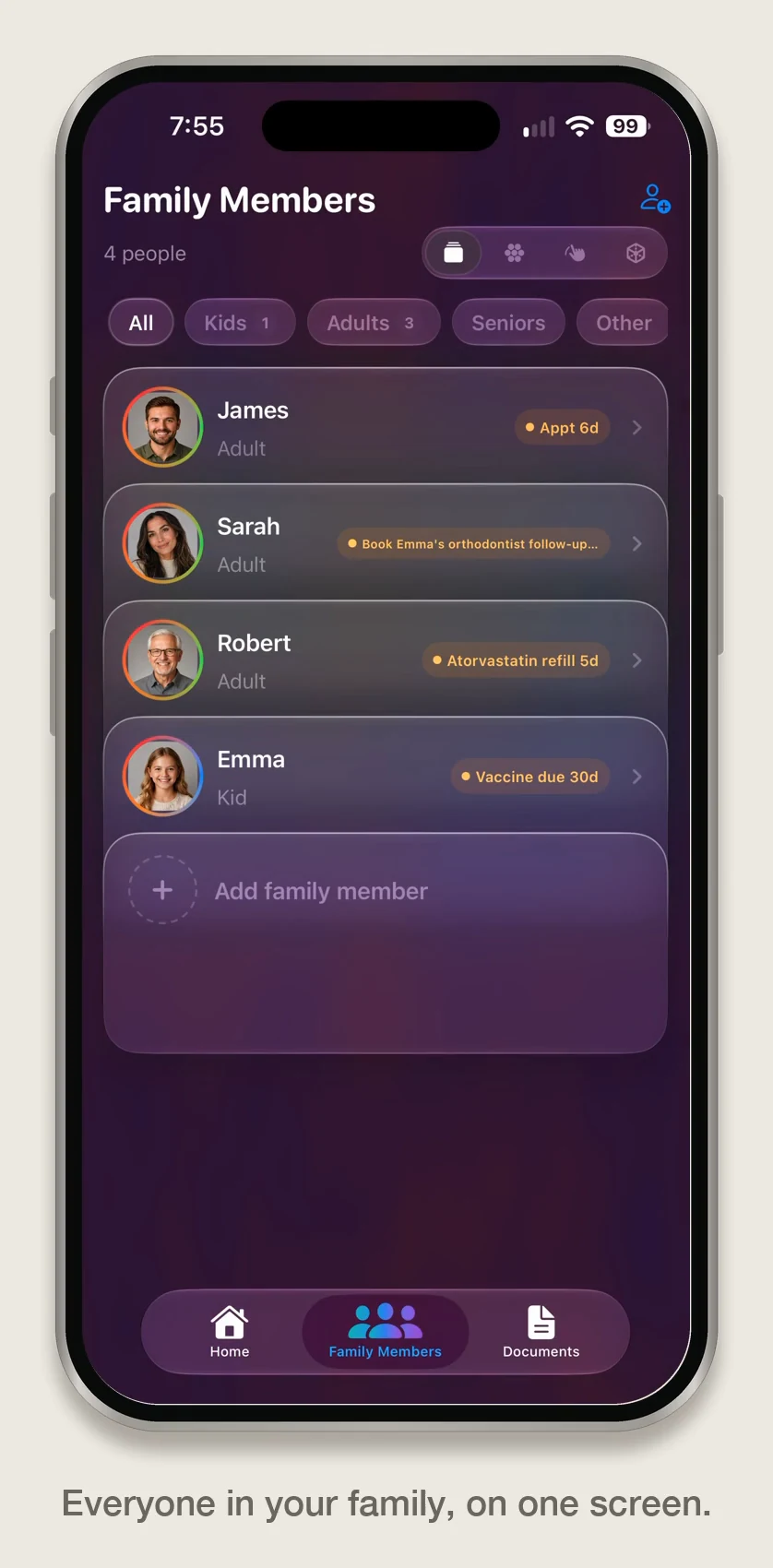
Every other app gives you folders. KinLine starts with a person.
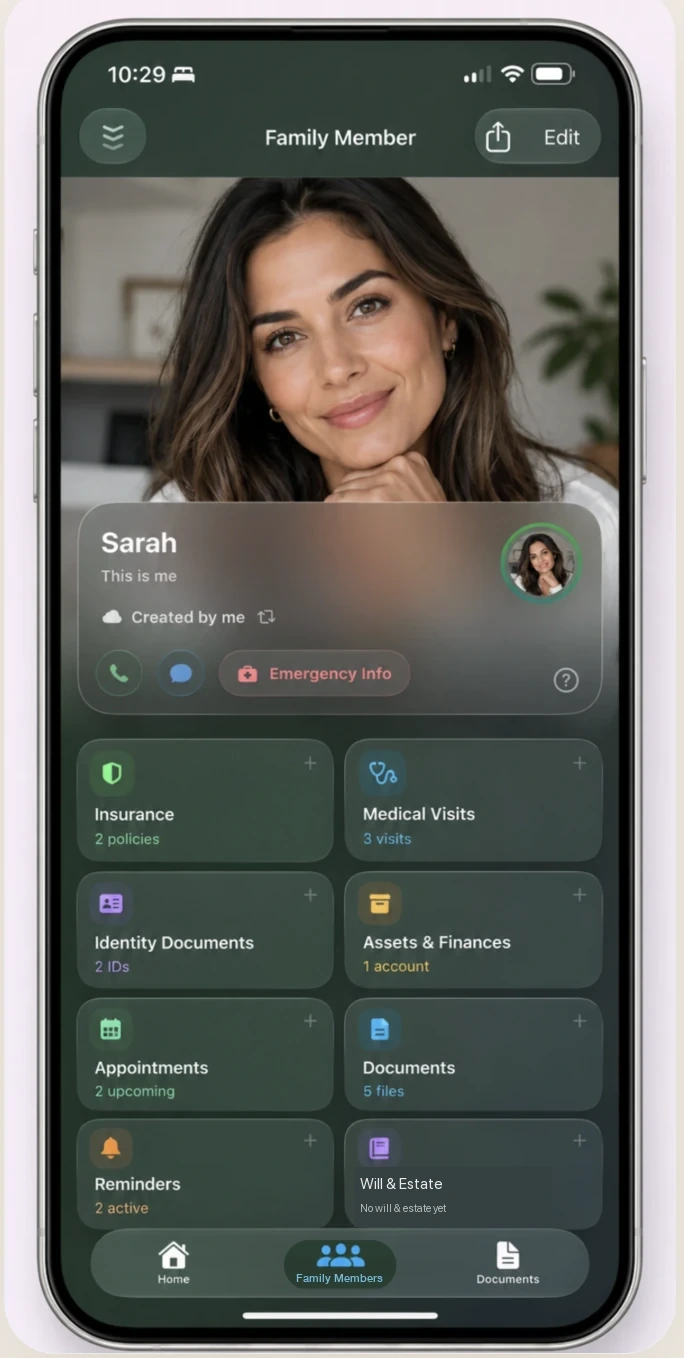
Add Mom. Add Dad. Add your daughter. Each one gets their own page, and on it, a set of cards:
Tap a card, add what you have. Type it, attach a document, or photograph the paper. Add as much as you want.
1
Name, photo, relation. 20 seconds.
2
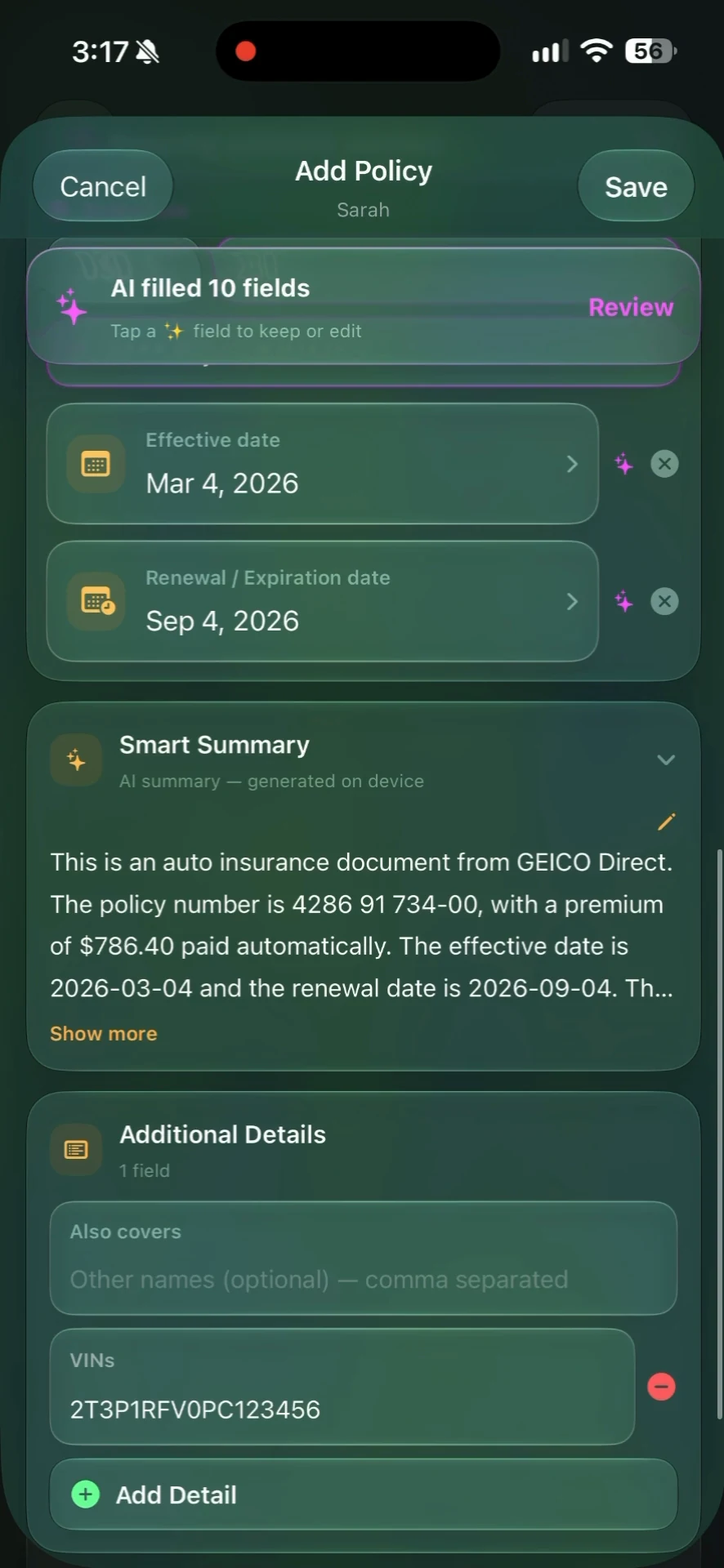
Attach the insurance card. With AI Autofill on, Apple Foundation Models can autofill the form fields on your device. Review and save. Leave it off and fill the form yourself.
3
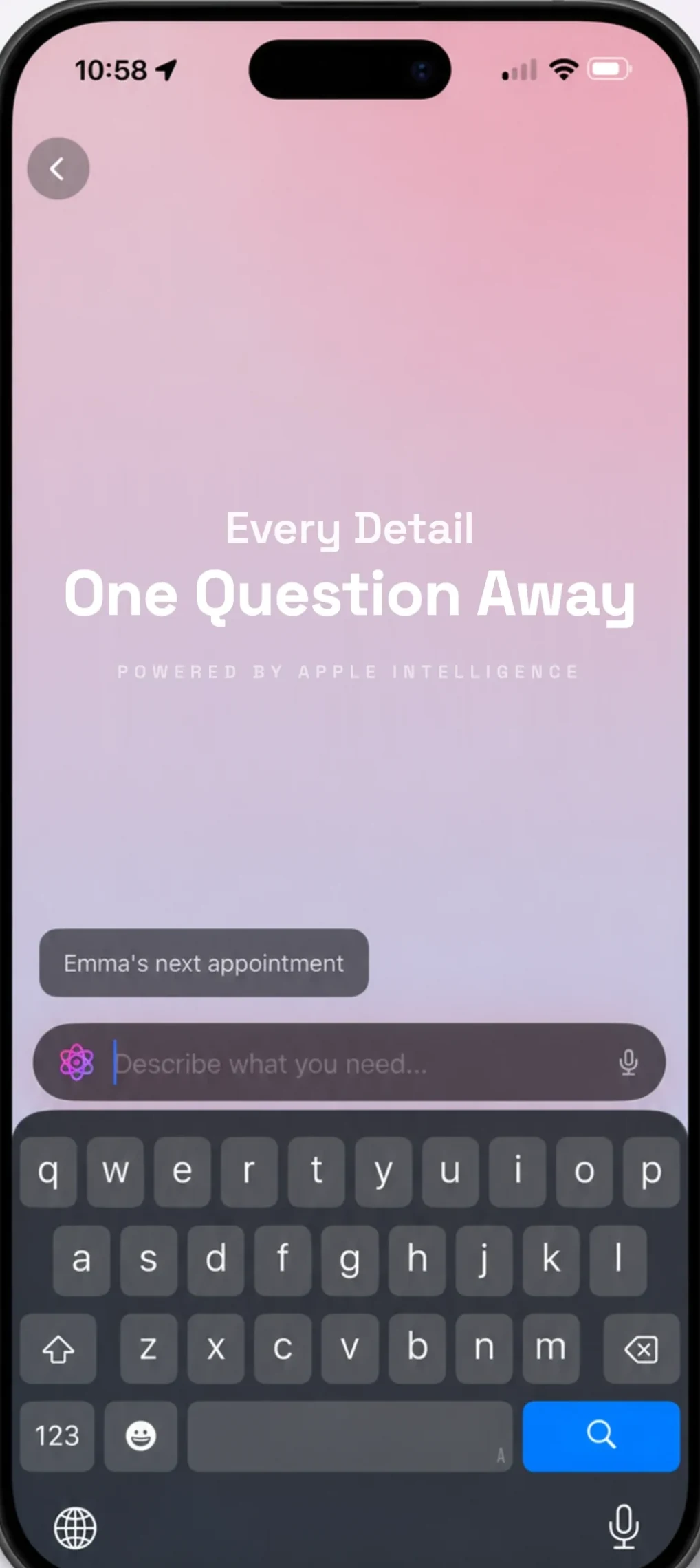
Type “Dad insurance”, or just ask out loud. It's there. 2 seconds.
That's it. Add the rest whenever the paper turns up.
Add her once. Share her profile. Now you both have the same immunization list, the same allergy, the same pediatrician's number.
When either of you adds today's visit, it appears on the other phone. No group chat. No “did you get the photo I sent?”
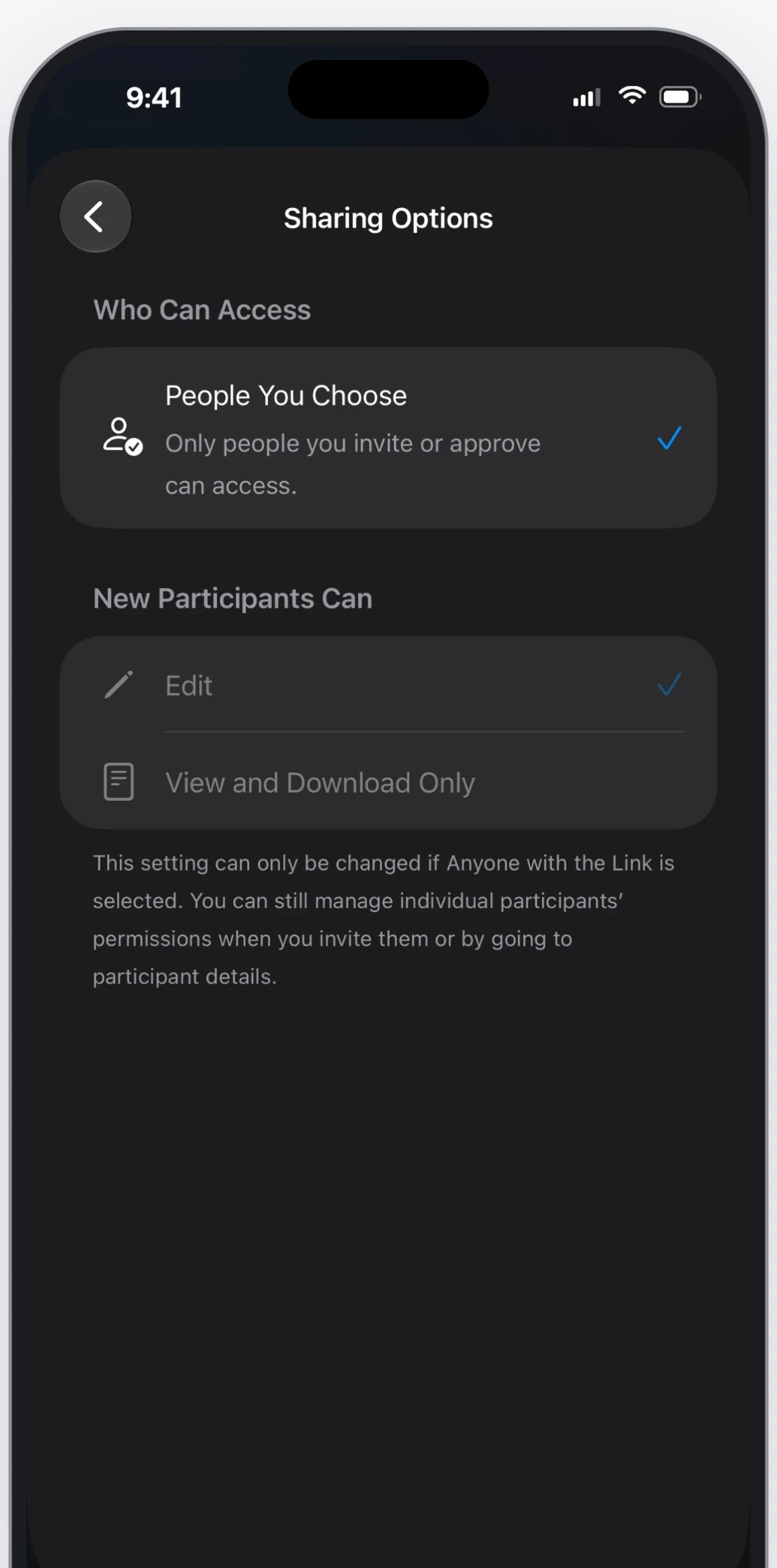
You send one person. Not your whole family, not your own records. And you choose whether they can edit, or only look.
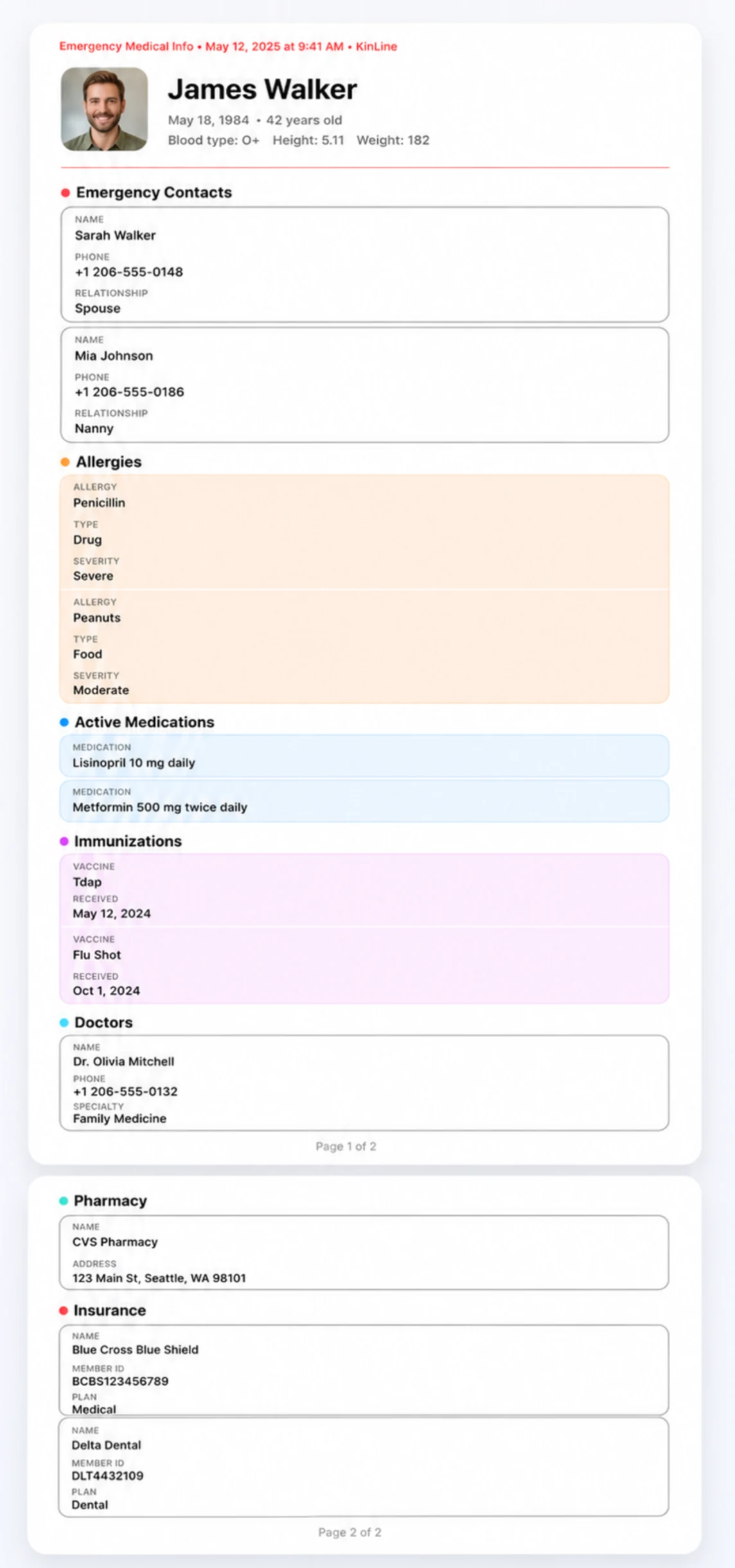
Blood type, allergies, current medicines, doctor, pharmacy, insurance, who to call.
Text it to the babysitter. Hand it to a nurse. Print it for the fridge. It's a PDF, so it works on any phone, even for people who've never heard of KinLine.
We didn't want family documents uploaded to somebody else's server.
Passports, prescriptions, a child's medical history. We wanted the private version of this app, and it didn't exist. So we built it.
KinLine has no account to create, and Aadstra does not store your family records. Your records stay on your iPhone. If you choose iCloud, Apple syncs them between your devices and the people you share with. They still do not come to Aadstra.
That's the version we wanted for our own families. If you've been looking for it too, it's yours.
— Aadstra
Private by default. Your family records stay on your iPhone. iCloud is optional for sync and sharing.
No account. Nothing to sign up for. Nothing to log into. Nothing of yours on our side.
Autofill when you want it. Turn on AI Autofill to use Apple Foundation Models on your device to autofill form fields from a document. Review the form before saving. Leave it off and fill the form yourself.
KinLine is free to download and use for one family member and up to three records per card type. KinLine+ is optional and removes those limits: $6.99/month or $39.99/year in the U.S. The annual plan includes a 14-day free trial.
No. KinLine never sends your family documents to Aadstra or to a third-party cloud AI service. AI Autofill is optional. When you turn it on, KinLine uses Apple Foundation Models on your device to autofill form fields from supported documents. You review the form before saving. Leave it off and the document saves normally; you fill the form yourself.
No. KinLine works on your phone with no account at all. iCloud is optional, and only there if you want your records on your other Apple devices or want to share a person with family.
Yes. You share one person's profile, not your whole family and not your own records. You choose whether they can edit it or only look at it.
Whatever you've saved for that person: their ID and emergency details, contacts, allergies, medicines, immunizations, doctor, pharmacy, insurance, important notes, and any documents you've attached.
Free to download. No account. Nothing to cancel.
Free to download. No account needed.KinLine is a private family records organizer. It is not an electronic health record service, a medical or legal authority, a password manager, a genealogy service, or a cloud drive.